
SKOTIQ 8.1 · GUIDE
Create a sequence
Targets, exposure blocks, autofocus, drift correction and end-of-night actions.
On this page
Start from a saved plan
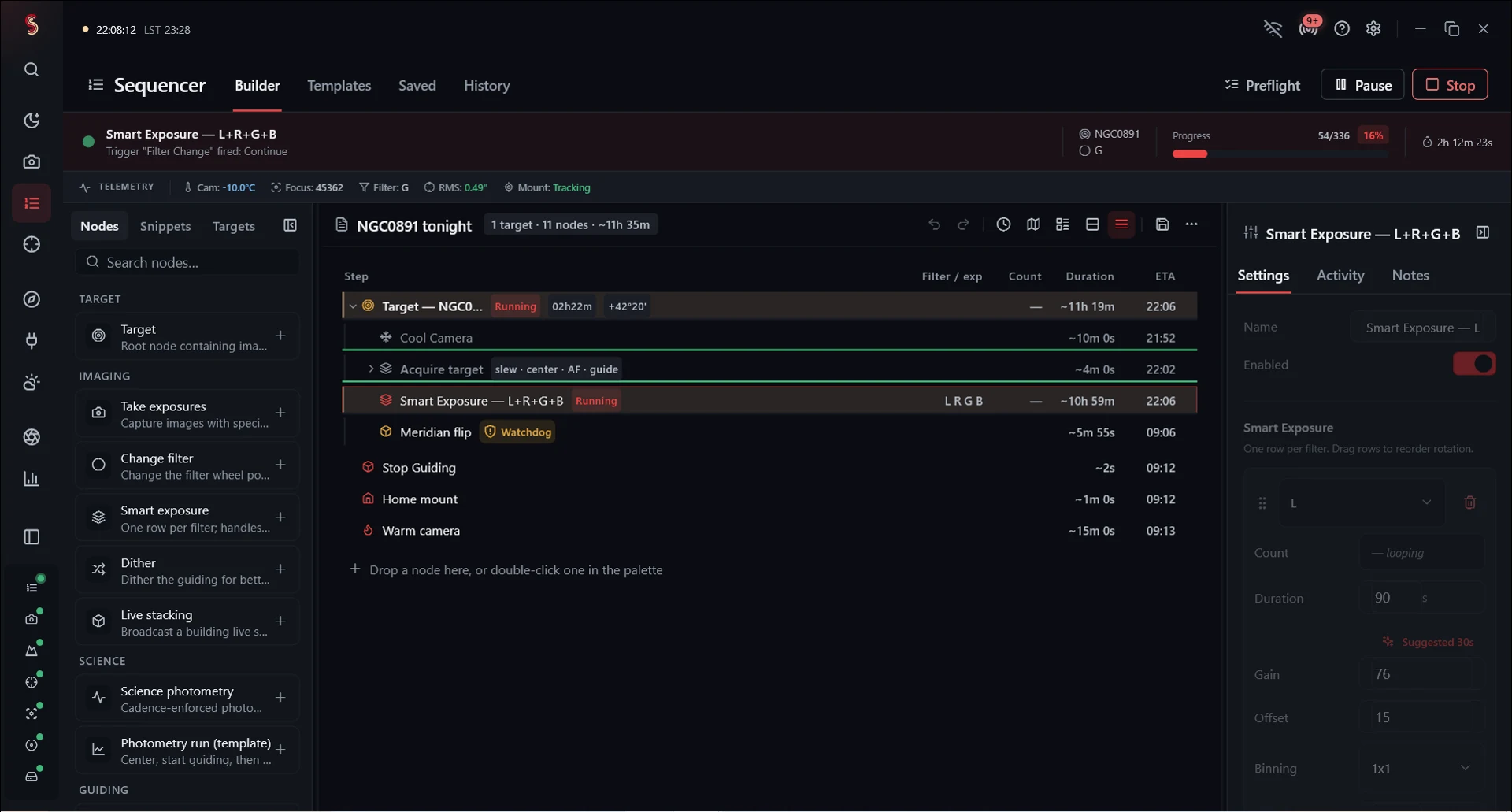
Open Sequencer and create or load a sequence. Add a target, set its coordinates, and add the actions and exposure blocks needed for that target. Select a node to edit its parameters. Save the sequence before running it.
A typical plan connects and cools the camera, slews and centers, focuses, starts guiding, captures a set of filters, then parks and finishes the night. The exact order and available actions depend on your rig.
Exposure blocks
Set each filter’s exposure time, count, gain, offset and binning explicitly where applicable. Narrowband filters may need different settings from LRGB. Check filter names against the wheel and save a separate copy when making a one-night change.
Use loops for repeated work and triggers for conditions that should be monitored during the run. Check trigger thresholds when using a template and adjust them for your equipment.
Center after drift
The angular-drift trigger defaults to 30 arcseconds from the first solved frame after initial centering. Saved frames are checked for drift. Change the threshold to suit your field and imaging tolerance; make sure the plate solver is configured and can solve your exposures.
If a solve fails, drift cannot be measured for that frame. Check the run log and image quality.
Focus, dithering and the meridian
Configure autofocus conditions and exposure settings for the filters you use. Allow guiding to settle after dithering. Set the meridian-flip policy to suit your mount and confirm its limits; Skotiq 8.1 includes tracking-limit recovery and post-flip acquisition checks.
Monitor the first complete run with a new rig or sequence. Tonight shows progress and recovery state; the event log identifies the step that stopped or failed.
End of night
Set your stop time, dawn policy and local horizon/obstruction limits. Review parking, camera warm-up and calibration capture choices. Enable automatic Darkroom integration only after calibration and delivery settings are ready.
Night-end master building uses your existing flats. To capture new flats, add a flat-capture action and provide suitable illumination.
If a sequence ends immediately
Check target windows, stop times, completed run state and pre-flight errors. Inspect the current saved plan and the event log before resetting it. Prepare a support report with the failing step and time if the cause is unclear.